

Product guide — real Kyasti screens

Live listings on kyasti.com

Rooms you operate should be the rooms tenants see. Kyasti reviews the building, then publishes it on kyasti.com with the vacancy your warden sees this morning.

Listing lives on the building workspaceKyasti reviews before the page goes liveEnquiries come back as leads

A chat-only vacancy list only reaches people you already know. A live listing reaches people who are searching.

Start from the building

Properties → Buildings opens the workspace: overview, spaces, photos, amenities, rules, nearby, review. Fill photos and prices before you submit.
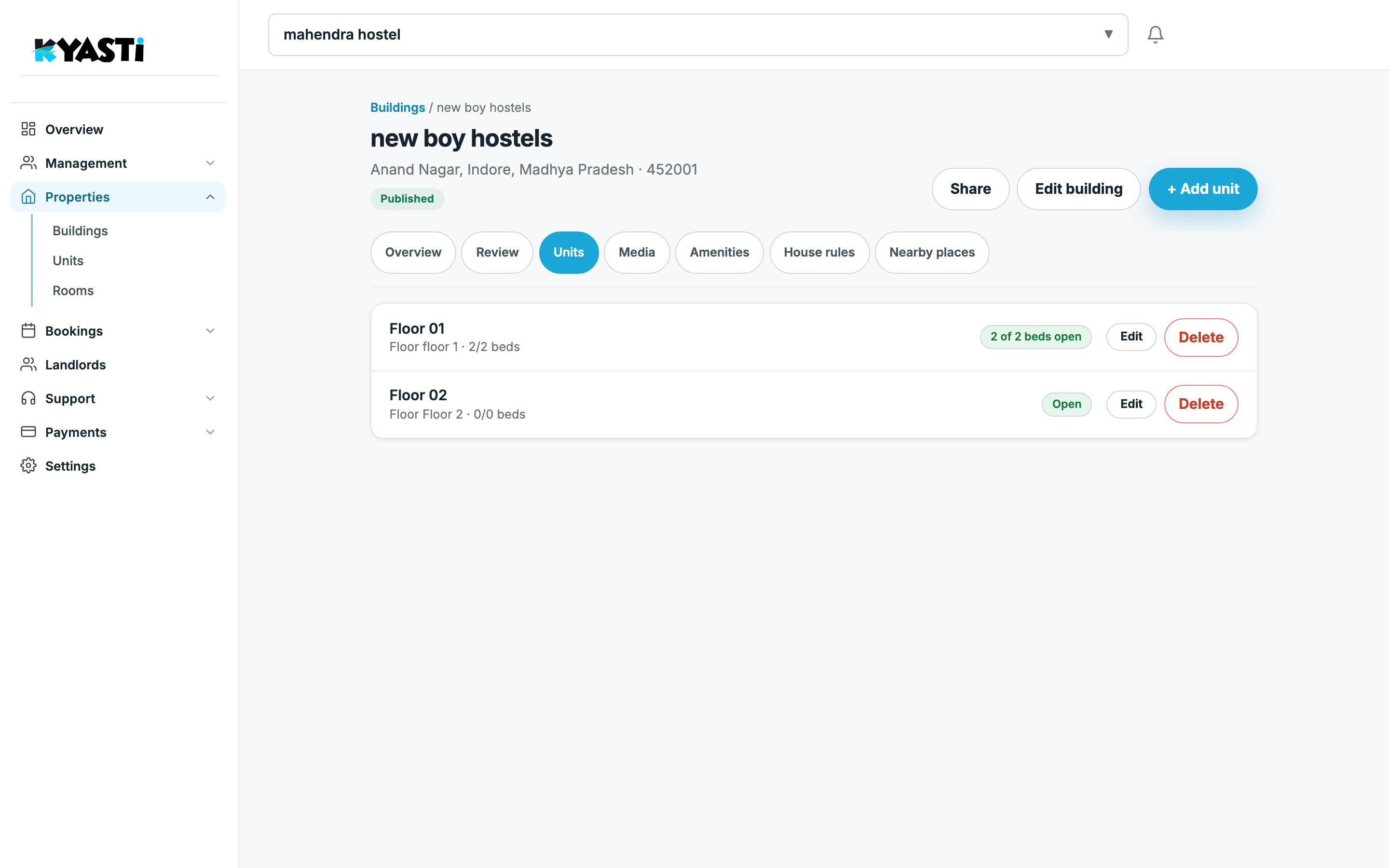
Kyasti building listing workspace
Building workspace — photos and review status before the page goes live.

The Rooms list behind that building is what tenants will see as open vs sold out.
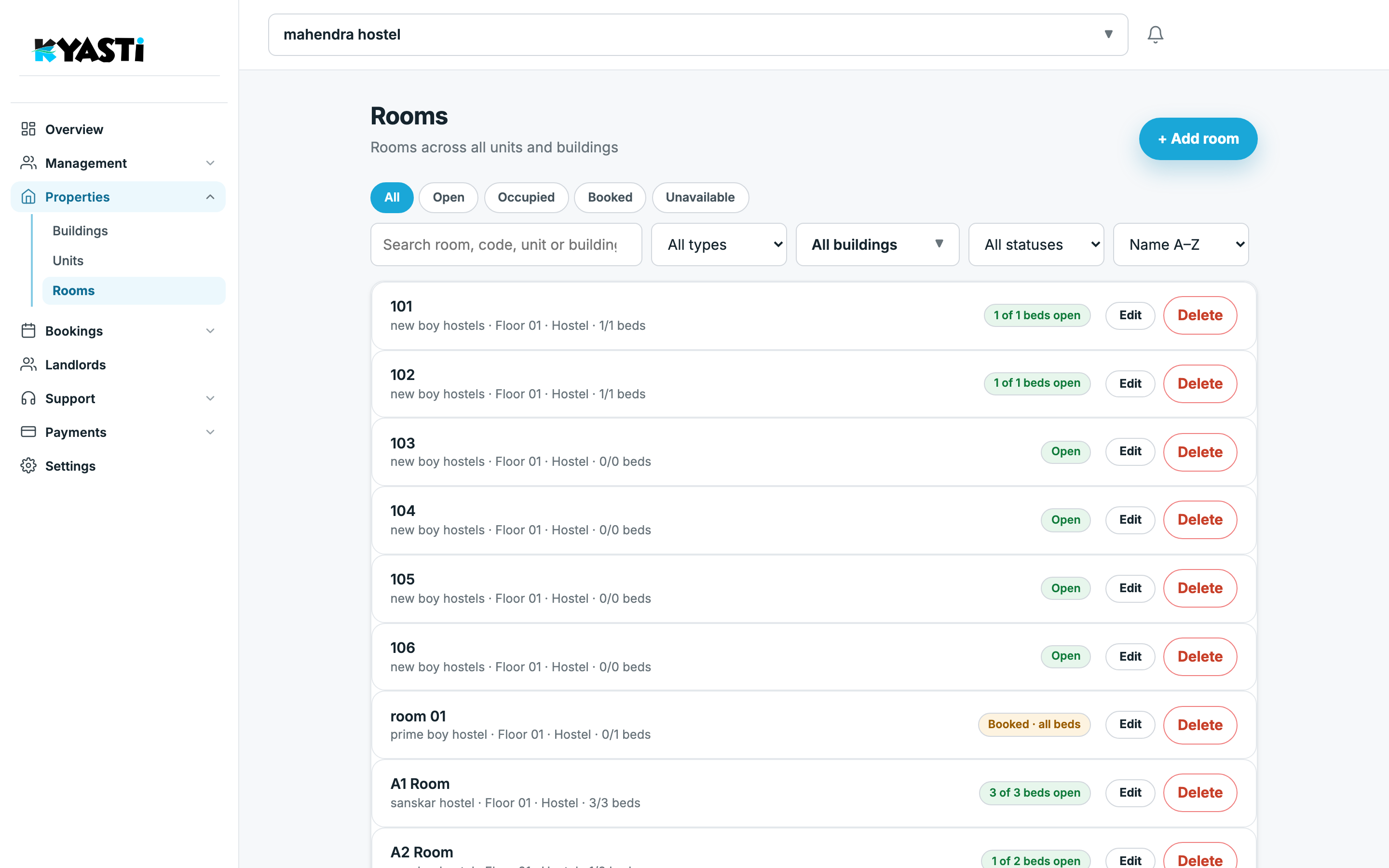
Kyasti rooms list with bed occupancy
Rooms — the occupancy the public listing should match.

Review, then live

Draft → in review → live. Edits on a live page go through review again so the public copy stays honest.

Enquiries from kyasti.com land under Bookings → Leads. From there: visit, WhatsApp offer, or booking.

Next step

On the demo we will open one of your buildings and show what still blocks “live”.

Ready when you are

Turn your property into effortless income

Join owners and landlords who trust Kyasti to run their rentals every day. Book a demo — or tell us you’d rather lease the building to us.

  • Done-for-you setup
  • WhatsApp collections
  • Digital KYC + police

Book your free demo today

No spam. We’ll only use this to schedule a conversation.

I’m interested in