

Hostel ops fail when occupancy lives in a chat group and rent lives in a notebook. Kyasti puts the daily picture on one Overview screen for the business you selected.
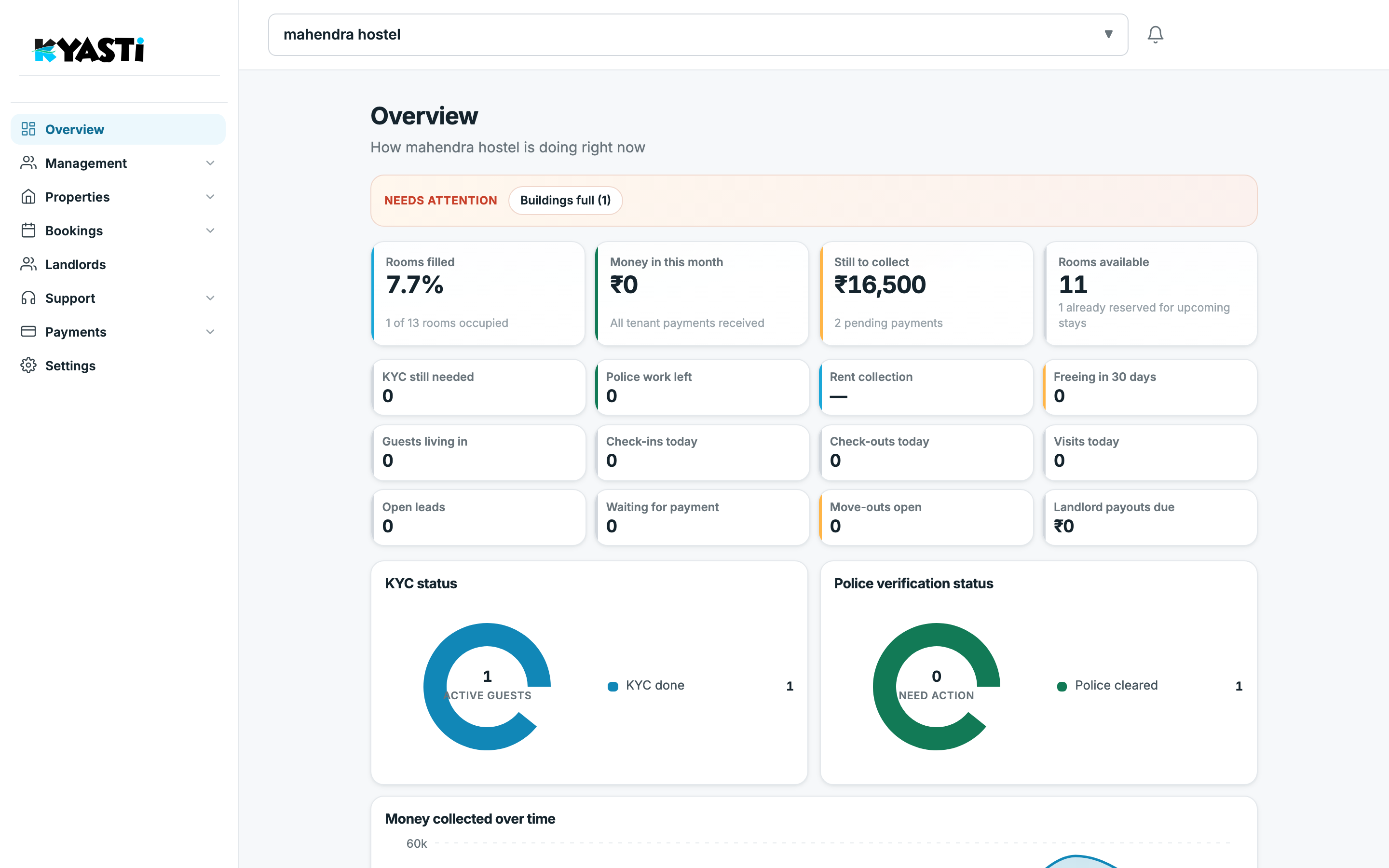
What Overview answers in 10 seconds
- Rooms filled — occupied vs total rooms (for example 1 of 13).
- Money in this month — tenant payments that already landed.
- Still to collect — pending rent and deposits, with a count of dues.
- Rooms available — open inventory, including rooms already reserved for upcoming stays.
- Needs attention — sold-out buildings, overdue payments, visits today, KYC still needed.
Below the cards you get the operational grid: guests living in, check-ins and check-outs today, open leads, waiting for payment, and landlord payouts due. Two donuts show KYC status and police verification for active guests.
Map every hostel you operate
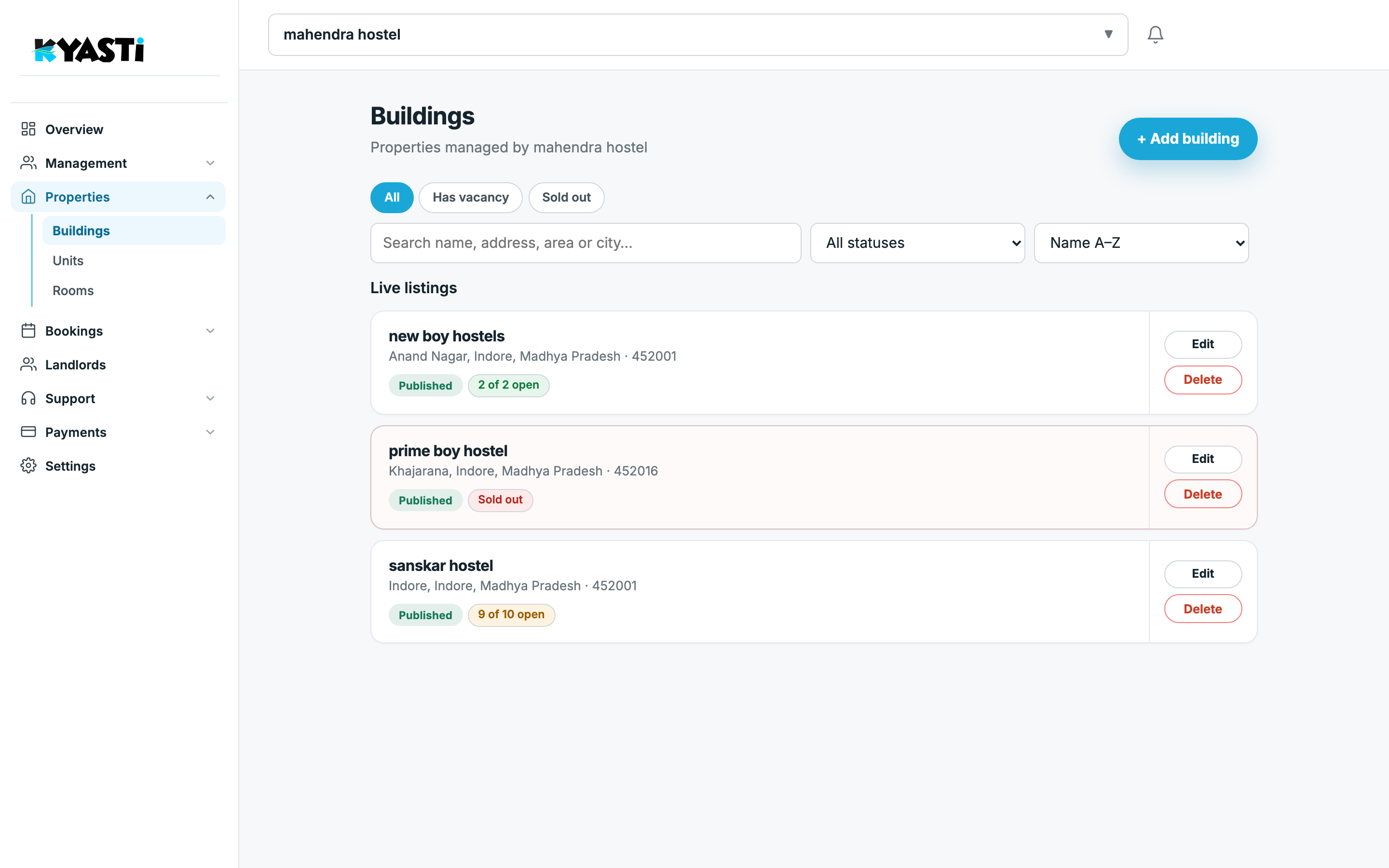
Add each building once. The Buildings list shows published listings, address, and vacancy — “2 of 2 open”, “9 of 10 open”, or Sold out. Filter by vacancy when you are filling beds; open a building to edit floors and rooms.
Rooms and beds are the source of truth
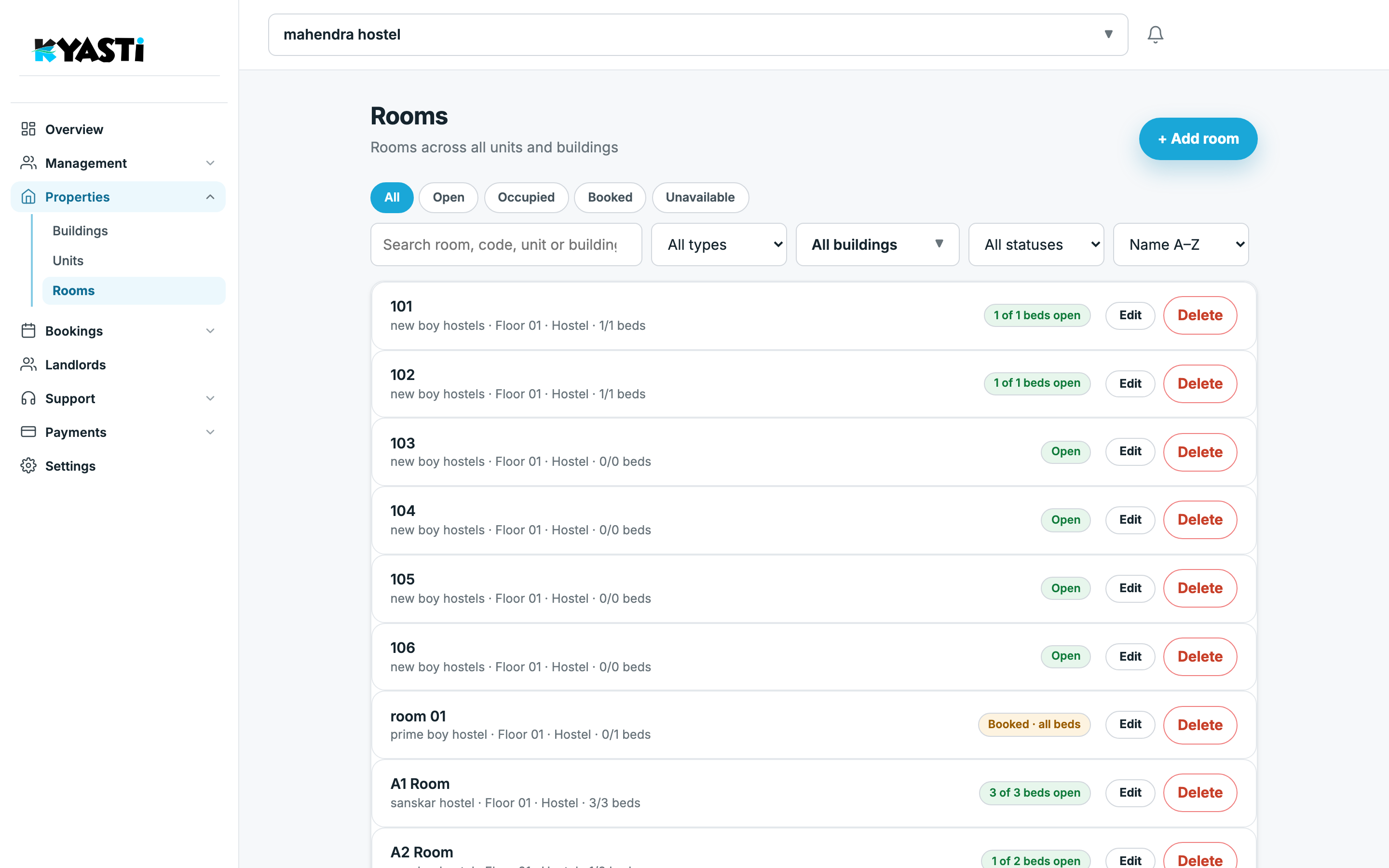
Under Properties → Rooms, every room shows its building, floor, type (hostel / PG), and beds open (for example 1 of 1, or 3 of 3). Tabs filter All / Open / Occupied / Booked / Unavailable. When a stay ends, the bed flips open so sales can fill it the same day.
Daily rhythm that actually sticks
- Open Overview — chase “still to collect” and anything under Needs attention.
- Check Rooms if you are selling beds today.
- Work Leads, Visits and Campaigns until the prospect becomes a booking.
- Confirm the stay under Bookings, then collect rent under Tenant payments (WhatsApp proof).
- Clear Verify for KYC and police before the week gets away from you.
Staff can do steps 2–4 on a manager role. You keep owner control of settings and payouts.
Next step
Book a demo with your city and approximate bed count. We will walk this same Overview → Buildings → Rooms path on your inventory — or talk through leasing the hostel to Kyasti if you want hands-off returns.