

If inventory is the map, Bookings is who is living on it.
The bookings list
Bookings → Bookings filters Active / Completed / Cancelled. Each card shows the guest or room, Confirmed status, building, monthly vs rolling dates, Portal: Linked when the tenant can sign in, and the booking total.
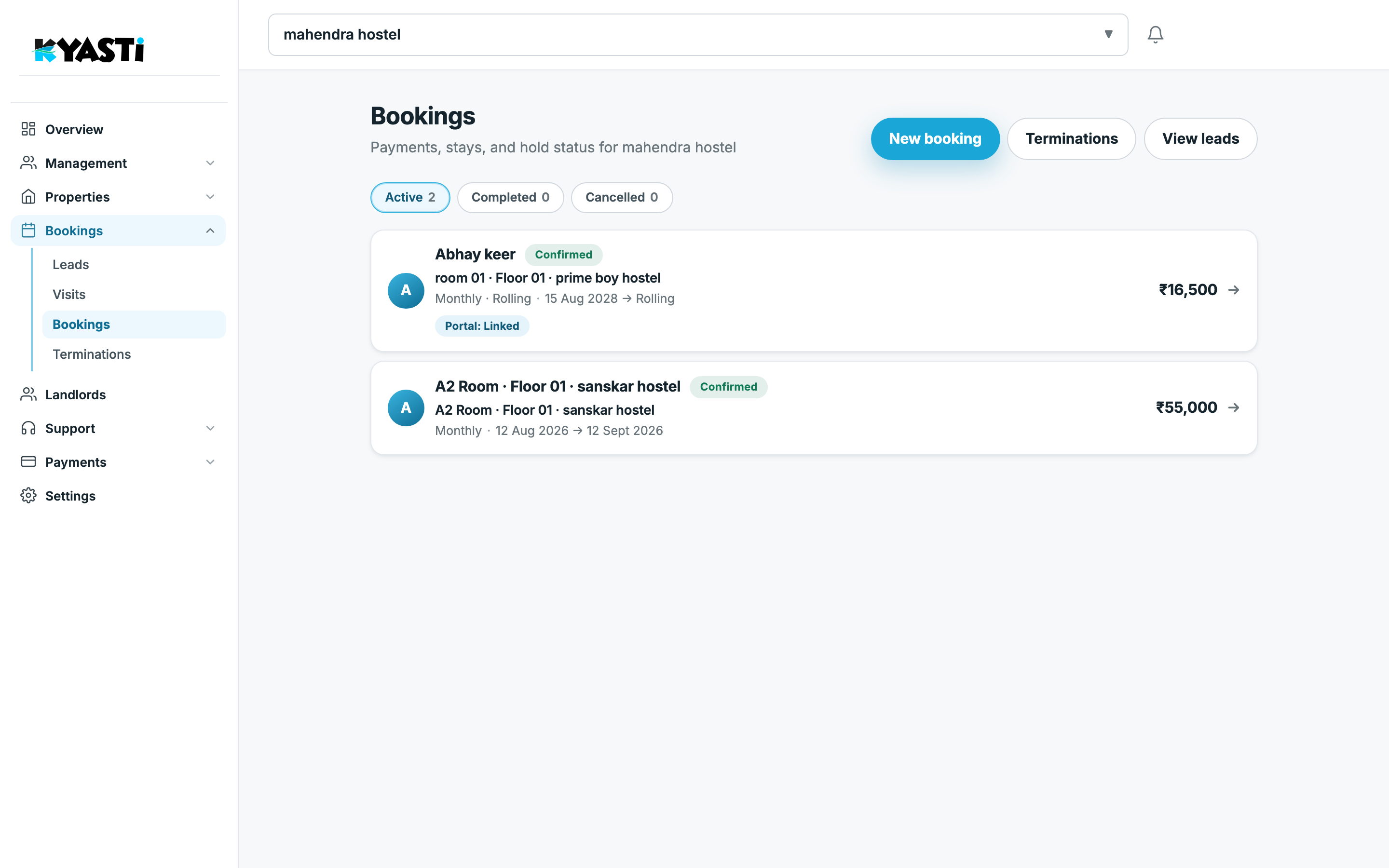
New booking is the manual path (walk-in, phone, or converting outside the lead form). From a lead, convert so you do not re-type the room and dates.
Inside a stay
Tabs: Stay, Payments, People, Verify, Move-out — plus Electricity when the room is metered.
Stay holds:
- Dates (fixed end or rolling)
- Household
- Period rent, deposit, booking total
- Electricity included in rent
- Police verification required
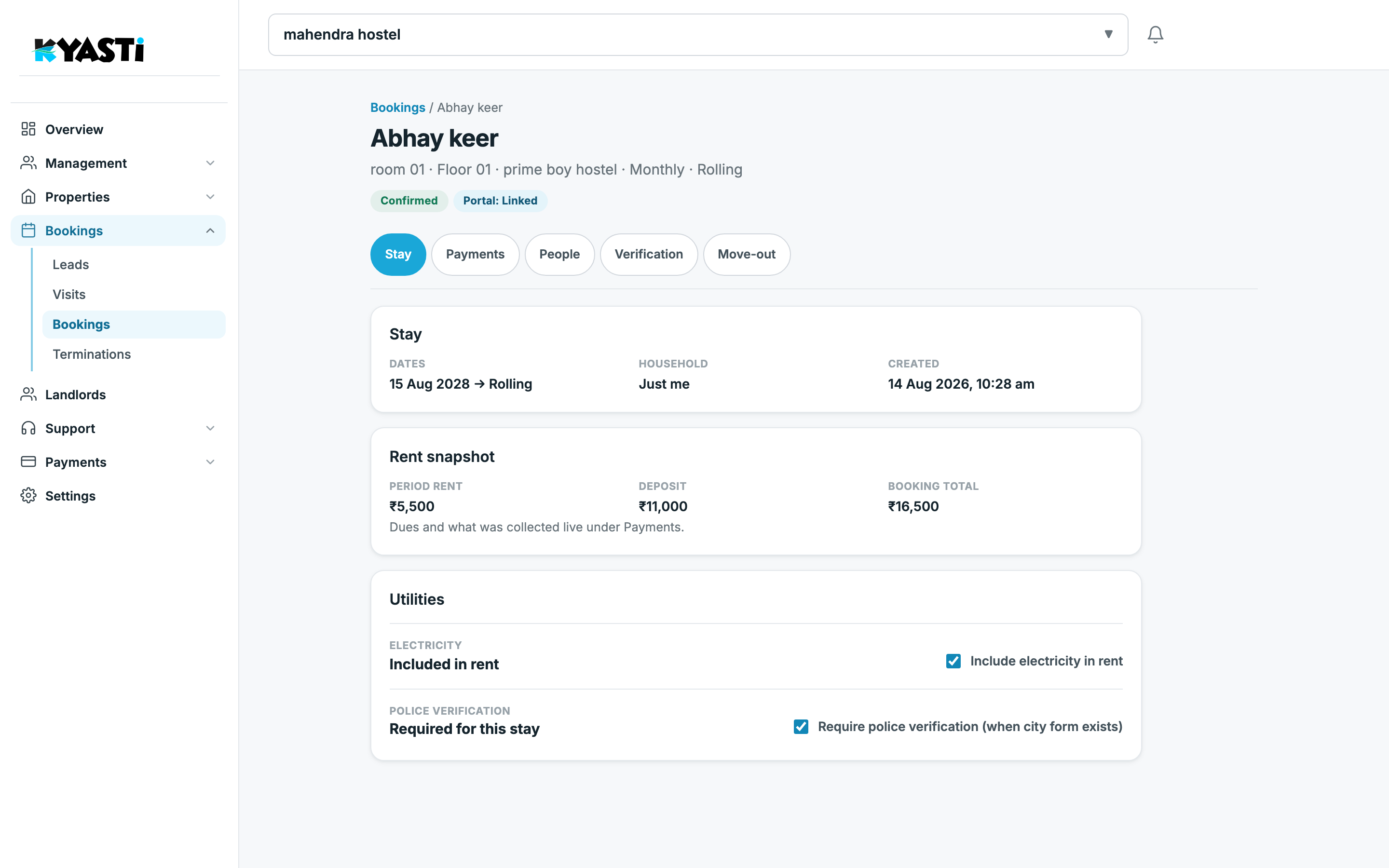
People is who occupies the room (primary + co-occupants on a 2BHK). Verify is digital KYC and police forms. Move-out is the termination path when the stay ends.
Hostels that still run a paper register can bulk move-in: upload Excel or photos of the occupancy form. Kyasti matches vacant beds so you do not re-type every name.
Move-in checklist that matches the product
- Room is open on inventory.
- Lead exists (or you create a manual booking).
- Stay confirmed — deposit due before check-in if you configured it.
- Tenant portal linked — they pay and complete KYC.
- Overview rooms filled and still to collect update.
Next step
We will create one dummy booking on your demo business and walk Stay → Payments → Verification so your manager can repeat it.